On this tab, you can also search for teams by name, registration status (open or closed) and by country.
Creating a Team
If you're not currently a member of any team, you can create a new team by following these steps:
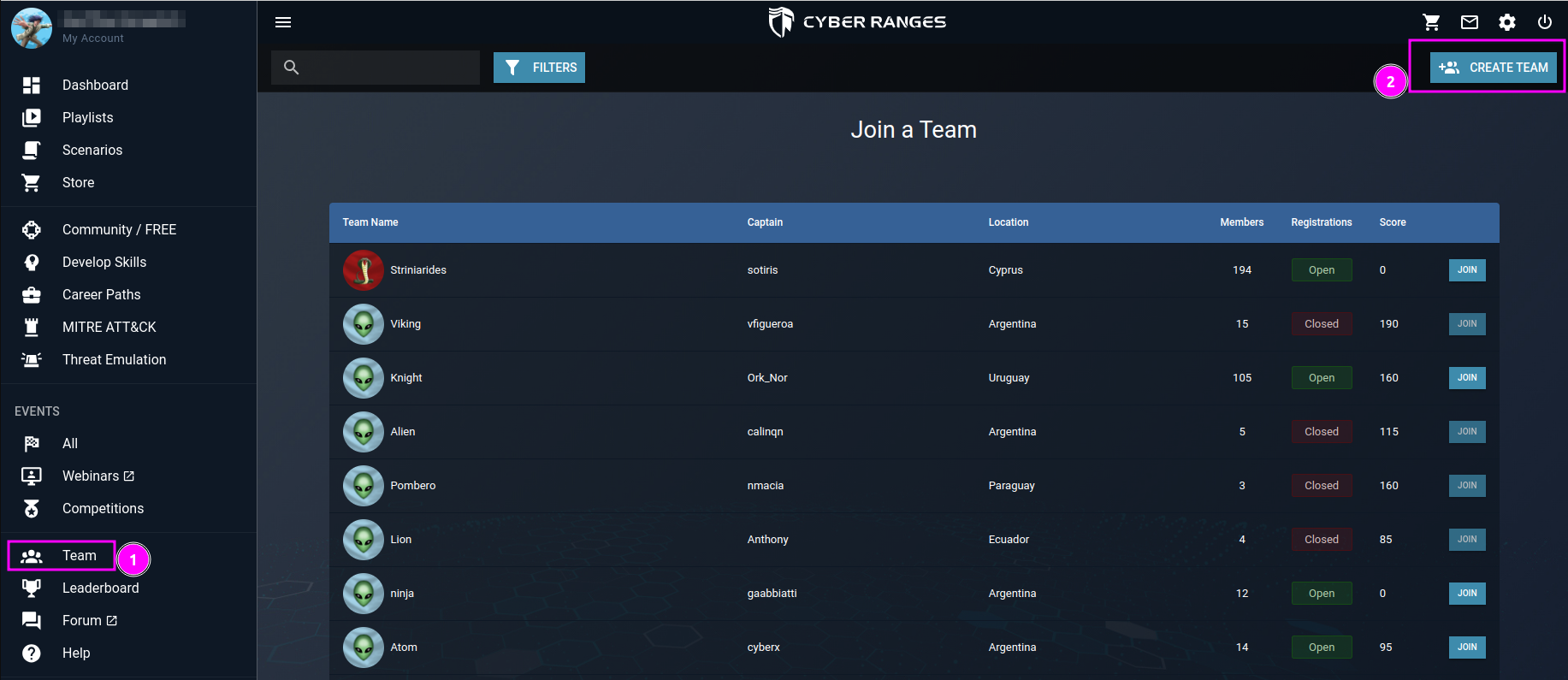
- Go to the left pane menu and select 'Team.'
- Click on 'CREATE TEAM' located in the top right corner.
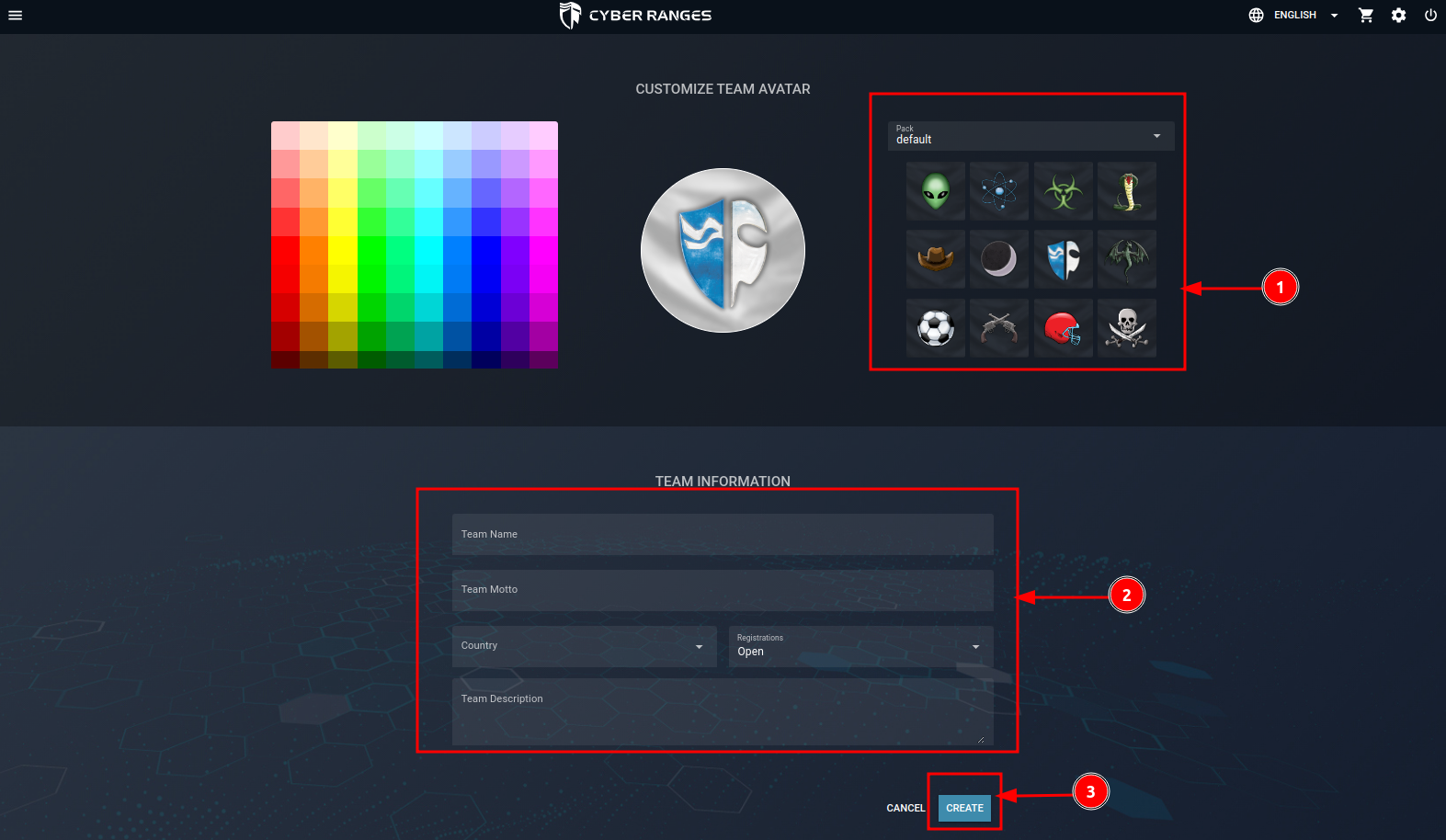
Upon clicking 'CREATE TEAM,' a form will appear, prompting you to provide details such as Team Name, Team Motto, Country, Team Description, and the choice to set registrations as open or closed. Additionally, select a Team Avatar from the provided list.
Once you've filled in the required information, click 'CREATE' to finalize the team creation.
Please note: If you are currently a member of another team and wish to create your own team, you must first leave your current team.
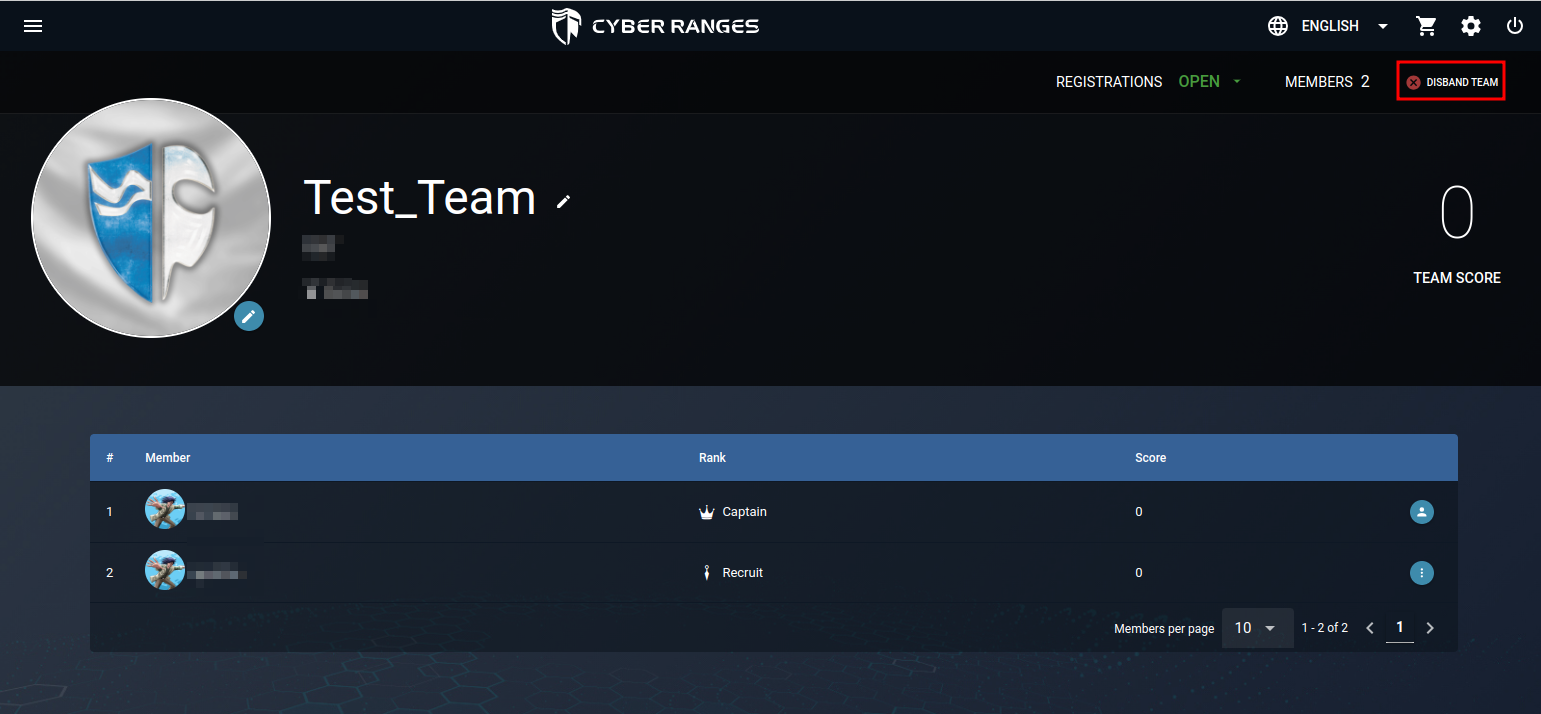
Upon successfully creating a team, you assume the role of the team captain, allowing you to join team vs. team events on behalf of your team members. You can edit the team name and avatar by clicking the pencil icon next to the team name. Furthermore, as the captain, you have the option to disband the team, as indicated below.
Joining a Team
To join a pre-existing team, simply follow these instructions:
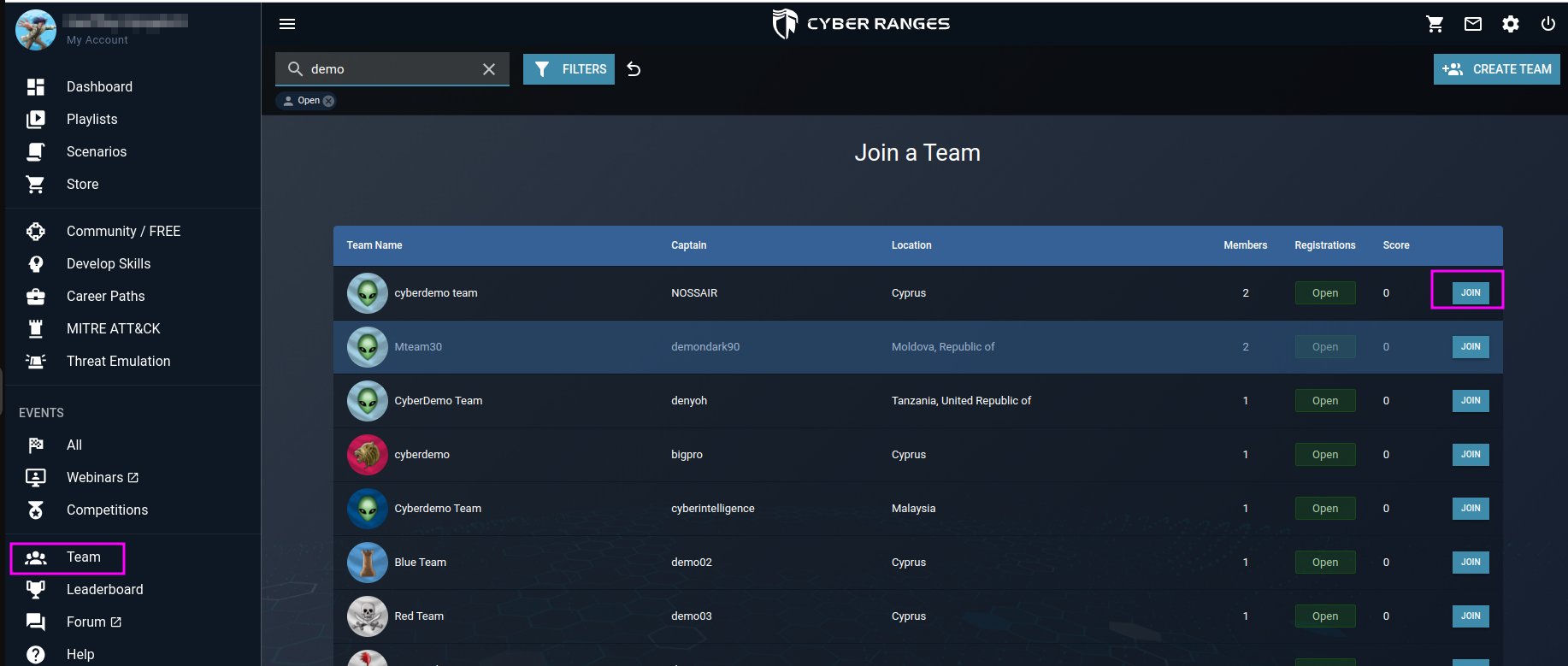
- Navigate to the left pane menu and click on 'Team.' you will be able to see a list of teams already created on the platform by other users
On this menu, you can:
- Search for the specific team by team name.
- Registration Status, this filter allows you to filter out teams via the registration status. There are two registration statuses:
- Open - a team is open to accepting new members.
- Closed - a team is no longer accepting new members.
- Country, you can filter out teams according to the team’s country of origin.
- Choose the team you want to become a part of and click the 'JOIN' button located at the end of the team's name.
Important Notes:
- You can only join teams that have an open membership.
- Use the Registration Status and Country filters to narrow down your options and find the teams you're interested in joining.
Leaving a Team
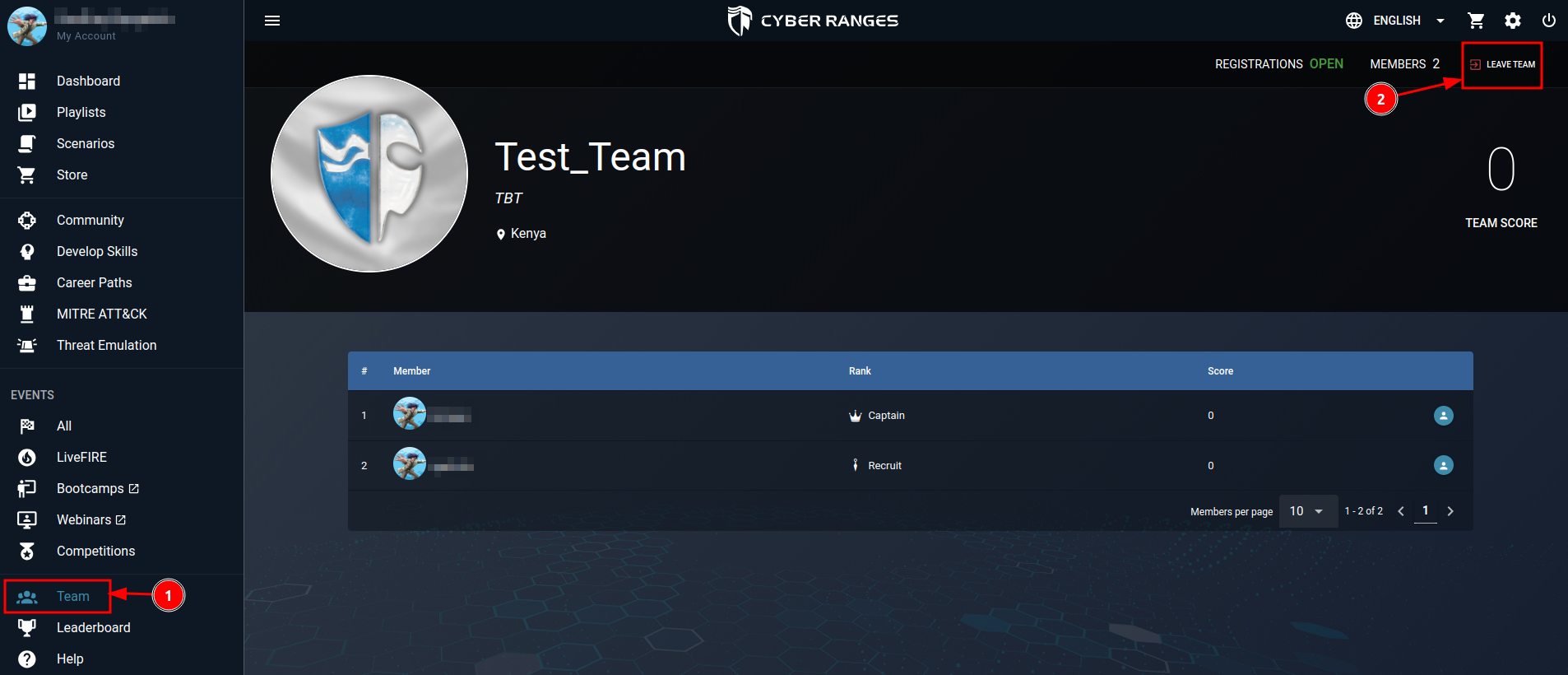
To exit a team you're currently part of, navigate to the 'Team' button located on the left pane. Once there, click on the 'LEAVE TEAM' button situated in the top right corner to successfully withdraw from the team.
Roles within Teams
Teams have a ranking system describe in the following way:
- Captain - This is the highest rank. A team can only have one captain, and the captain is the only user who can:
- Disband the team
- Enroll a team into a Team Vs Team event
- Promote/Demote other users to different ranks
- Kick users
- Edit team bio
- Officer - This is the second-highest rank. The officer can:
- Recruit - This is the lowest rank. The recruit has no privileged access or rights to modify aspects of the team.